Add virtual try-on to your
Shopify store in one click
Install Drape from the Shopify App Store. Shoppers upload a photo and see themselves in your clothes online — photorealistic results in ~15 seconds. No code changes, no app install for shoppers.
Built specifically for Shopify
🧩
Theme App Extension
The Try On button lives inside your theme. Drag and position it anywhere in the product page template via the Theme Editor — no code edits.
🏪
Online Store 2.0 compatible
Works with all modern Shopify themes — Dawn, Refresh, Sense, Taste, and any third-party OS 2.0 theme.
💳
Billing through Shopify
No separate payment method needed. Drape billing appears on your Shopify invoice — same as any Shopify subscription.
Set up in under 5 minutes
No developer needed. Everything happens inside your Shopify Admin.
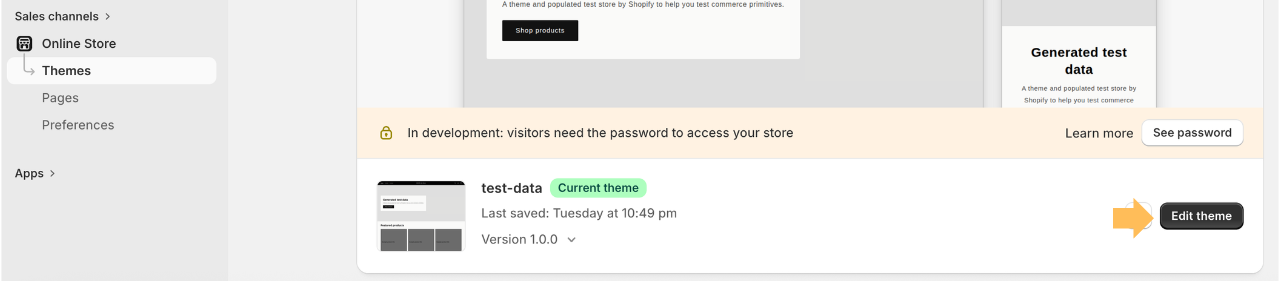
Step 1
Open Theme Editor in Shopify Admin
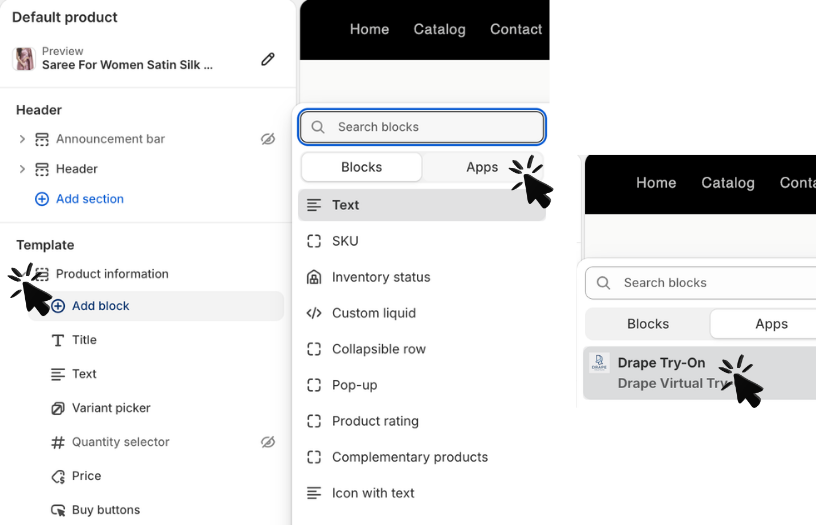
Step 2
Add the Drape block to your product page template
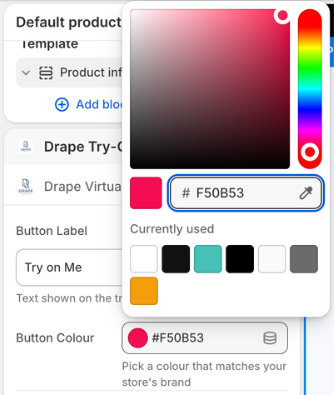
Step 3
Drag the button above Add to Cart
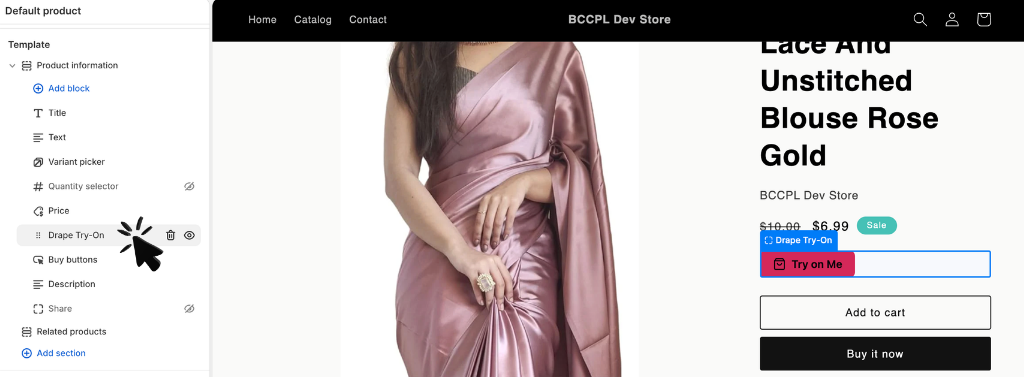
Step 4
Save — the Try On button is live for shoppers
Simple, transparent pricing
Start free. Upgrade when your store is ready to scale. Billed through Shopify.
Free
$0
10 try-ons
to explore
Basic
$5/mo
50 try-ons/mo
+$0.07 per extra (capped at $20)
Most popular
Growth
$19/mo
200 try-ons/mo
+$0.065 per extra (capped at $50)
Scale
$49/mo
600 try-ons/mo
+$0.06 per extra (capped at $100)
All plans include 10 welcome try-ons in month 1. Unused try-ons don't carry over.
Frequently asked questions
How do I install Drape on Shopify?+
Click "Install on Shopify" above. You'll be taken to the Shopify App Store listing. Click Install — Shopify handles OAuth and the Theme App Extension is deployed automatically.
Does Drape work with all Shopify themes?+
Yes. Drape's Theme App Extension is compatible with all Online Store 2.0 themes. You position the Try On button in your theme via the built-in Theme Editor drag-and-drop interface.
How is billing handled?+
Billing is managed entirely through Shopify. Your Drape subscription appears on your regular Shopify invoice. No separate payment method needed.
What happens when my monthly try-ons run out?+
Additional try-ons are billed per use at your plan rate ($0.06–$0.07), with a monthly cap so you're never charged more than the limit shown for your plan.
More questions? See full FAQ or contact support.
Ready to add virtual try-on to your Shopify store?
10 free try-ons included. No credit card needed to start.